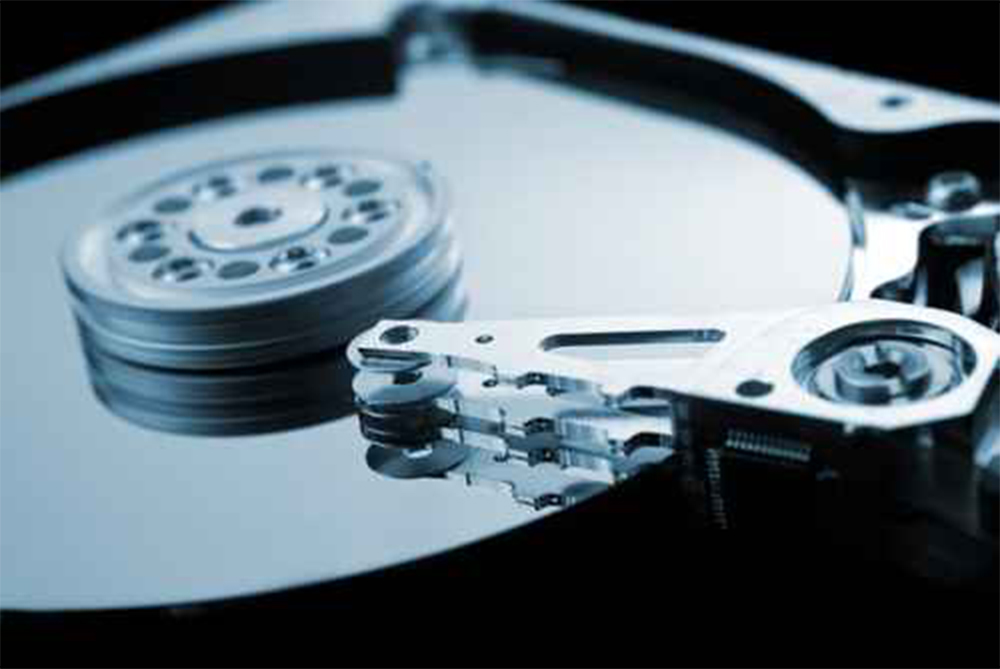
Hard drives are the storage backbone for many individuals and businesses, holding crucial data such as photos, videos, business files, and personal memories. However, they are delicate mechanical devices that can be easily damaged. Whether due to physical shocks, water exposure, or electronic malfunctions, hard drive failure can lead to significant data loss. In this article, we’ll guide you through the process of recovering data from a damaged hard drive and discuss the importance of cleanroom experiences for successful recovery.
Understanding How Hard Drives Work
Before we dive into data recovery, it’s important to have a basic understanding of how hard drives function.
- Platters: A hard drive contains rotating platters made of materials like aluminum, glass, or ceramic. These platters are coated with a ferromagnetic substrate that stores data as bits (0s and 1s).
- Heads: To read and write data, the hard drive uses magnetoresistive heads that fly just above the surface of the platters. These heads move rapidly, accessing the stored data.
- Air Cushion: To keep the heads at the right height above the platters, the hard drive relies on a cushion of air. When this airflow is disrupted, it can lead to head crashes, causing irreversible damage.
- Electronic Card: The hard drive’s electronic card controls its operations, including communication with the computer’s motherboard. The firmware on this card ensures that everything runs smoothly, but if it malfunctions, it can cause the hard drive to fail.
What to Do When Your Hard Drive Fails
Hard drive failure can happen at any time, and it is essential to take the right steps to maximize the chances of data recovery.
- Stop Using the Drive Immediately
If you suspect your hard drive is damaged, immediately stop using it. Continued use could lead to further damage and overwrite recoverable data. Disconnect the drive from your computer to prevent additional issues. - Identify the Type of Damage
Hard drives can suffer from various types of damage, including:- Physical Damage: This could be caused by dropping the drive, exposure to extreme temperatures, or water damage.
- Logical Damage: Occurs due to software issues, such as corrupted files, bad sectors, or accidental deletion.
- Avoid DIY Solutions
While there are many DIY data recovery tools available, attempting to recover data from a physically damaged hard drive can often make the situation worse. If your drive is physically damaged, it’s best to avoid trying to fix it yourself.
Professional Data Recovery Services
When your hard drive is damaged, it’s highly recommended to seek professional help. Specialists in data recovery have the tools and expertise to recover data without causing further harm.
The Role of a Cleanroom in Data Recovery
A cleanroom is a controlled environment where professionals can safely perform data recovery. Cleanrooms are essential for physically damaged hard drives, as they prevent contaminants like dust and air particles from damaging the delicate internal components of the drive.
Here’s how a cleanroom plays a critical role in data recovery:
- Protecting the Platters: The internal platters of a hard drive are incredibly sensitive. A cleanroom ensures that no debris or particles interfere with the delicate surfaces.
- Head Replacement: If the hard drive heads are damaged, technicians can replace them in a cleanroom without introducing contamination.
- Disk Imaging: In some cases, specialists will create a disk image, which is a replica of the damaged hard drive. This allows them to recover data without accessing the original drive directly.
The Data Recovery Process in a Cleanroom
- Diagnosis: Technicians begin by evaluating the drive’s condition. They determine whether the issue is physical (e.g., head failure or platter damage) or logical (e.g., file system corruption).
- Cleanroom Environment: If the problem is physical, the hard drive is opened in a cleanroom to avoid contaminants. This is a highly precise process that requires technical expertise.
- Recovery and Imaging: Once the drive is properly handled, data recovery specialists will attempt to retrieve data by creating a disk image or directly accessing the platters. This process is meticulous and requires careful handling.
- Data Transfer: After recovering the data, the recovered files are transferred to a secure medium, such as a new hard drive or cloud storage.
What to Expect from Professional Data Recovery Services
- Expert Diagnosis: Professionals can identify the cause of failure, whether it’s physical or logical, and determine the best recovery method.
- Success Rate: Data recovery specialists often achieve high success rates, especially when the recovery process is handled in a cleanroom.
- Cost: Professional data recovery can be expensive, but the cost is worth it for critical data that cannot be replaced. The price will depend on the complexity of the damage.
How to Prevent Hard Drive Failure
- Regular Backups: The most effective way to prevent data loss is to maintain regular backups of your important files. Use both cloud storage and physical backups (external hard drives) to ensure redundancy.
- Protect from Physical Damage: Store your hard drive in a safe, dry, and stable environment. Avoid exposing it to temperature extremes or humidity.
- Use Disk Monitoring Software: Many disk monitoring tools can alert you to potential failures before they happen. These tools monitor the health of your drive and warn you of bad sectors or other issues.
Conclusion
Data recovery from a damaged hard drive is often a delicate and complex process that requires expertise and the right tools. While DIY software can sometimes work for logical issues, physical damage requires professional intervention in a cleanroom environment. If your hard drive fails, it’s important to stop using it, assess the damage, and consult with data recovery specialists. With the right expertise, many of your precious files can be successfully recovered.
About the Author