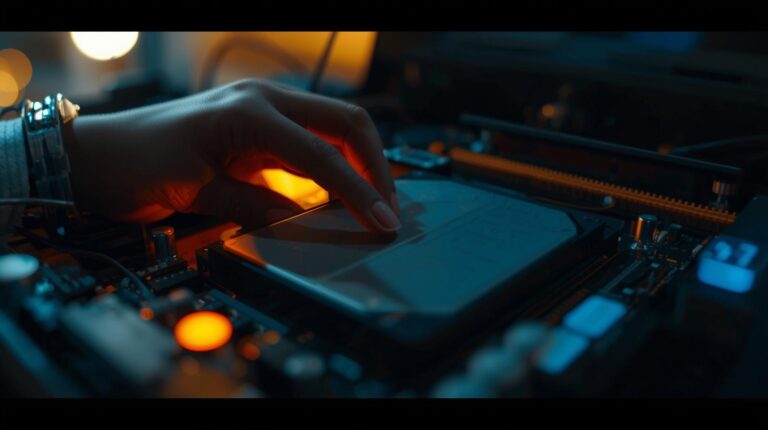
When a hard drive fails—whether due to mechanical issues, physical damage, or environmental exposure—the last resort for salvaging irreplaceable data often lies in the hands of professionals operating inside a cleanroom environment. For many, the concept of a cleanroom may sound like something from a scientific research lab. In reality, it is a highly controlled, meticulously maintained space where trained data recovery engineers attempt to retrieve data from compromised storage devices using specialized tools and procedures.
Understanding what actually happens inside a cleanroom provides valuable insight into why professional data recovery services are often the only option when standard software tools fail. It also explains the cost structure and complexity behind high-stakes data recovery operations.
What Is a Cleanroom?
A cleanroom is a contamination-controlled environment where air quality, temperature, humidity, and particulate matter are regulated to protect sensitive components. In the context of data recovery, cleanrooms are typically ISO Class 5 (formerly known as Class 100), meaning there are no more than 100 particles (0.5 microns or larger) per cubic foot of air.
To put this into perspective, a single strand of human hair is approximately 70 microns thick. Even microscopic dust particles invisible to the naked eye can severely damage the internals of a hard drive. Cleanrooms eliminate such contamination risks, providing a sterile workspace for working directly with opened disk platters and other fragile components.
Why a Cleanroom Is Necessary for Data Recovery
Hard disk drives (HDDs) are manufactured in cleanroom conditions and are designed to operate in sealed environments. Once that seal is broken—whether due to physical trauma, user error, or environmental damage—the risk of irreversible damage from airborne contaminants becomes high. Opening a hard drive outside of a cleanroom can lead to permanent data loss.
Inside the cleanroom, professionals are able to:
- Open the drive safely without introducing contaminants.
- Assess and replace mechanical components such as heads and actuators.
- Stabilize the drive to a readable state for imaging.
- Clone the data from the damaged drive onto a healthy one.
These tasks require precision, experience, and the right equipment—all of which are housed in the cleanroom.
The Cleanroom Recovery Process: Step by Step
1. Initial Device Assessment (Outside the Cleanroom)
Before the drive enters the cleanroom, it undergoes a diagnostic evaluation. Technicians examine the drive externally, checking for obvious signs of damage (e.g., water exposure, burnt electronics) and performing non-invasive testing using write-blockers and diagnostic tools to determine if cleanroom intervention is needed.
2. Cleanroom Entry Protocol
Technicians working in cleanrooms follow strict entry procedures. This includes wearing full-body cleanroom suits (coveralls, gloves, face masks, shoe covers) and passing through air showers to eliminate static and airborne particles.
Only essential tools and devices are allowed in the cleanroom, and each is regularly cleaned and monitored for compliance with air purity standards.
3. Opening the Drive
Once inside the cleanroom, the technician carefully removes the screws and opens the drive casing using anti-static tools. The internal components—especially the platters and read/write heads—are extremely delicate and must not be touched or exposed to even a trace of debris.
4. Inspection and Component Replacement
With the drive open, the recovery engineer inspects the read/write heads, actuator arm, spindle motor, and platters. Common issues that require cleanroom intervention include:
- Stiction: Heads are stuck to the platter surface.
- Head crash: The heads have physically impacted the platters.
- Motor failure: The spindle is not spinning due to mechanical failure.
- Seized bearings: Preventing platter rotation.
In many cases, the solution involves transplanting components from a matching donor drive. This requires sourcing a drive with identical firmware, model number, and microcode—often from a specialized inventory.
5. Drive Stabilization and Imaging
After replacing the necessary parts, the goal is to stabilize the drive enough to read the data. The drive is connected to a hardware imager (not a regular computer) that can safely extract data without writing anything back to the damaged drive.
Imaging captures a sector-by-sector clone of the failing drive onto a healthy medium. This step can take hours or even days depending on the condition of the platters and the number of retries required.
6. Data Extraction and Verification
Once a successful image is obtained, the actual data recovery process begins. Technicians analyze the file system, locate file structures, and extract the data using specialized software tools.
In complex cases—especially involving RAID arrays, encrypted drives, or proprietary systems—additional work is required to reconstruct logical volumes and restore usable data.
Recovered data is then verified for integrity and delivered to the client on an external hard drive, flash drive, or secure download, depending on preference and data volume.
Equipment Found in a Data Recovery Cleanroom
- Stereo Microscopes: For close visual inspections of heads and platters.
- Head Combs and Platter Tools: Used to safely remove and replace heads or separate platters.
- PC-3000 and DeepSpar Imagers: Industry-standard devices for safe data extraction from failing drives.
- Antistatic Workstations: To protect sensitive electronics from electrostatic discharge.
- Donor Drive Library: An extensive catalog of hard drives used for parts replacement.
Challenges and Limitations
While cleanroom environments significantly increase the likelihood of a successful recovery, not all cases are recoverable. Platters that are deeply scratched, magnetically erased, or severely warped may render the data unrecoverable.
Moreover, cleanroom recovery is labor-intensive and requires expertise not easily replicated outside of specialized facilities. This is reflected in the cost of professional recovery, which varies based on complexity, urgency, and device type.
Conclusion
Cleanroom data recovery is a precise, multi-phase process that blends science, engineering, and deep technical expertise. When data is truly critical—whether it belongs to a large corporation or an individual—there is often no substitute for the controlled environment and skilled hands found in a professional data recovery lab.
Understanding what happens inside a cleanroom not only demystifies the process but also highlights the importance of prevention. Regular backups and data redundancy remain the best defense against catastrophic loss—but when those systems fail, the cleanroom becomes the final line of defense.
About the Author